WhatsApp Safety for Older Adults in Kenya: The 10-Minute Lockdown Guide (2026)
Quick Summary: WhatsApp is where your family lives — and where scammers hunt. In about 10 minutes, you can switch on six free settings that silence foreign scam calls, stop strangers from dropping you into fake groups, and make your account nearly impossible to hijack — even if your SIM is swapped. If you only have time for one, do Setting 3 (Two-Step Verification) first.
Scammers target older Kenyans on WhatsApp because that is where the trust is — family photos, voice notes from grandchildren, M-Pesa confirmations. The good news: every attack below is blocked by a free setting that already exists on the phone.
Before You Start
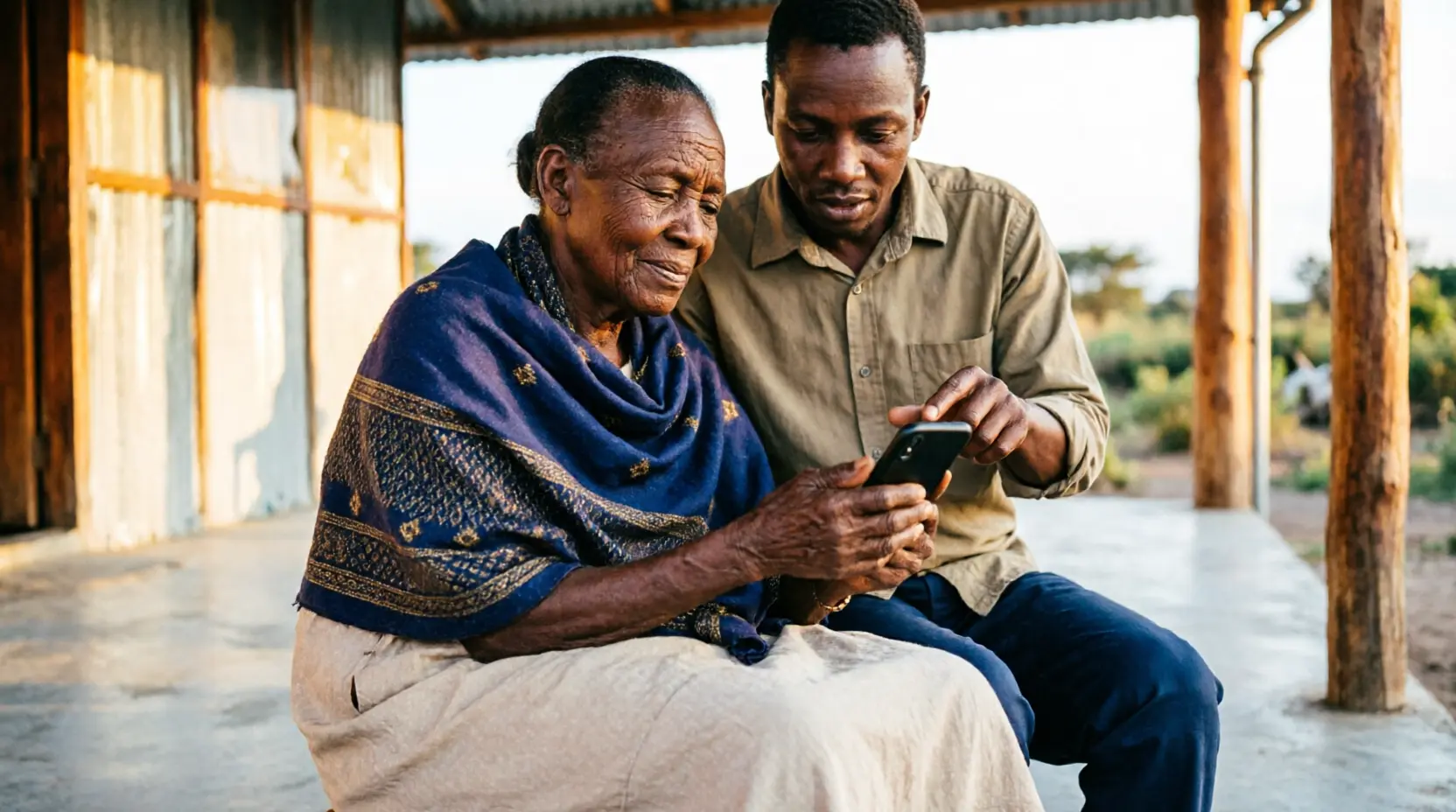
- Do it with them, not for them. Hands on the screen means they will remember it next month.
- Paths below follow WhatsApp for Android as at August 2026. Menu names can vary slightly by version, but every setting lives under Settings → Privacy, Account, or Storage and Data.
- All six settings are free, and every one of them can be reversed later.
The Six Settings
1. Silence Unknown Callers
Stops foreign-number scam callsThe threat: Internet-generated numbers (+234, +1, unfamiliar +254 lines) pitching fake investments or "your grandson is in trouble" stories.
Settings → Privacy → Calls → Silence Unknown Callers → ON
Why it matters: Calls from numbers not in the address book will not ring. They still appear in the Calls tab, so nothing is truly missed — they can review who called without being startled or pressured into answering.
The honest truth: This also silences the plumber or the new clinic calling for the first time. The trade is worth it: a genuine missed call shows in the list and can be returned. A scam call that rings is a chance to be manipulated.
2. Lock Group Adding
Stops scam groups & fake giveawaysThe threat: By default, anyone with their number can add them to promotional groups, fake giveaway channels, and pyramid schemes.
Settings → Privacy → Groups → My Contacts
Why it matters: Only saved contacts can add them directly. If a stranger tries, WhatsApp sends a private invite link instead — and that link expires on its own after 3 days if ignored.
The honest truth: A determined scammer can still send a one-on-one invite link. But this turns a flood into a drip, and gives them one clear question to ask: "Do I know this person?"
3. Two-Step Verification
Stops SIM-swap hijacking — do this one firstThe threat: A SIM swap — or one tricked-out SMS registration code — and the scammer owns the WhatsApp account. Then "Mama, send me money" messages go out to every saved contact.
Settings → Account → Two-step verification → Enable → 6-digit PIN + backup email
Why it matters: Even if a scammer gets the SMS code, WhatsApp cannot be activated on a new device without this PIN. It is a deadbolt on the front door.
Warning: WhatsApp will never call to ask for this PIN or any SMS code. Anyone who asks for it — by phone, by message, by "official-looking" logo — is a scammer. Hang up and call family.
The honest truth: Write the PIN in a notebook kept at home, not in the phone's notes app. If memory is a concern, a trusted family member should hold a copy.
4. Hide Personal Information
Starves impersonation scamsThe threat: Scammers copy profile photos and read "About" text and online status to build targeted impersonation scams — then message relatives asking for urgent money.
Settings → Privacy → adjust these four options
| Option | Set to |
|---|---|
| Profile photo | My contacts |
| About | My contacts |
| Last seen & online | My contacts |
| Status | My contacts |
Why it matters: Anyone who does not have their number saved sees a blank profile — nothing to harvest, nothing to copy.
The honest truth: A new acquaintance (a church friend whose number is not saved both ways yet) will not see the profile photo until you save each other. Saving each other is the fix.
5. Turn Off Media Auto-Download
Stops malware & data drainThe threat: Fake news graphics, "promotion" images, and suspicious files that save themselves automatically — eating airtime data and cluttering storage.
Settings → Storage and data → Media auto-download → uncheck Photos, Audio, Videos, Documents
Why it matters: Nothing saves until they tap it. That tap is a built-in pause — a moment to decide "do I trust this?" before it lands on the phone.
The honest truth: Family photos will no longer download automatically either. One extra tap on a photo from a saved contact is a small price for the pause.
6. App Lock
Stops the borrowed-phone problemThe threat: A phone misplaced, borrowed, or stolen means open WhatsApp — read messages, and money requests sent to relatives in their name.
Settings → Privacy → App lock (or Fingerprint lock) → ON → Require immediately
Why it matters: A fingerprint or face scan is required every single time WhatsApp opens.
The honest truth: On some Tecno and Infinix phones this is labelled Fingerprint lock, and the phone itself may also offer an app lock under Settings → Security. Either works — what matters is that opening WhatsApp needs a finger or a face.
The 60-Second Checklist (Screenshot or Print This)
| # | Stops | Path |
|---|---|---|
| 1 | Scam calls | Settings → Privacy → Calls → Silence Unknown Callers → ON |
| 2 | Fake groups | Settings → Privacy → Groups → My Contacts |
| 3 | Account hijacking | Settings → Account → Two-step verification → PIN + email |
| 4 | Profile harvesting | Settings → Privacy → Photo / About / Last seen / Status → My Contacts |
| 5 | Malware & data drain | Settings → Storage and data → Media auto-download → uncheck all |
| 6 | Borrowed-phone access | Settings → Privacy → App lock → ON |
Three Rules to Say Out Loud Together
- A code is a key. Never read an SMS or WhatsApp code to anyone — not "Safaricom," not "the bank," not a "grandchild" on the phone.
- Money requests get a call-back. If "your son" messages asking for money, stop and call your son's usual number first.
- When in doubt, hang up and talk to family. Scammers create hurry. Family never does.
Final Word
Scammers do not hack phones — they hack trust and hurry. These six settings remove the hurry, and the three rules protect the trust. Ten minutes now can save a pension later.
Has a suspicious call or group invite reached your phone? Share what happened — it helps other families spot the pattern early.
💬 Questions? WhatsApp us — we're happy to help